Wave Broadband Manuale Utente Pagina 9
- Pagina / 32
- Indice
- RISOLUZIONE PROBLEMI
- SEGNALIBRI

- DVR GUIDE 1
- Table of Contents 2
- Control Live TV 4
- Digital Video Recorder (DVR) 4
- Remote Control Arrow Buttons 5
- Status Bar 5
- Playback Controls 5
- Fast-Forward 6
- Slow Motion 6
- Recording Programs 7
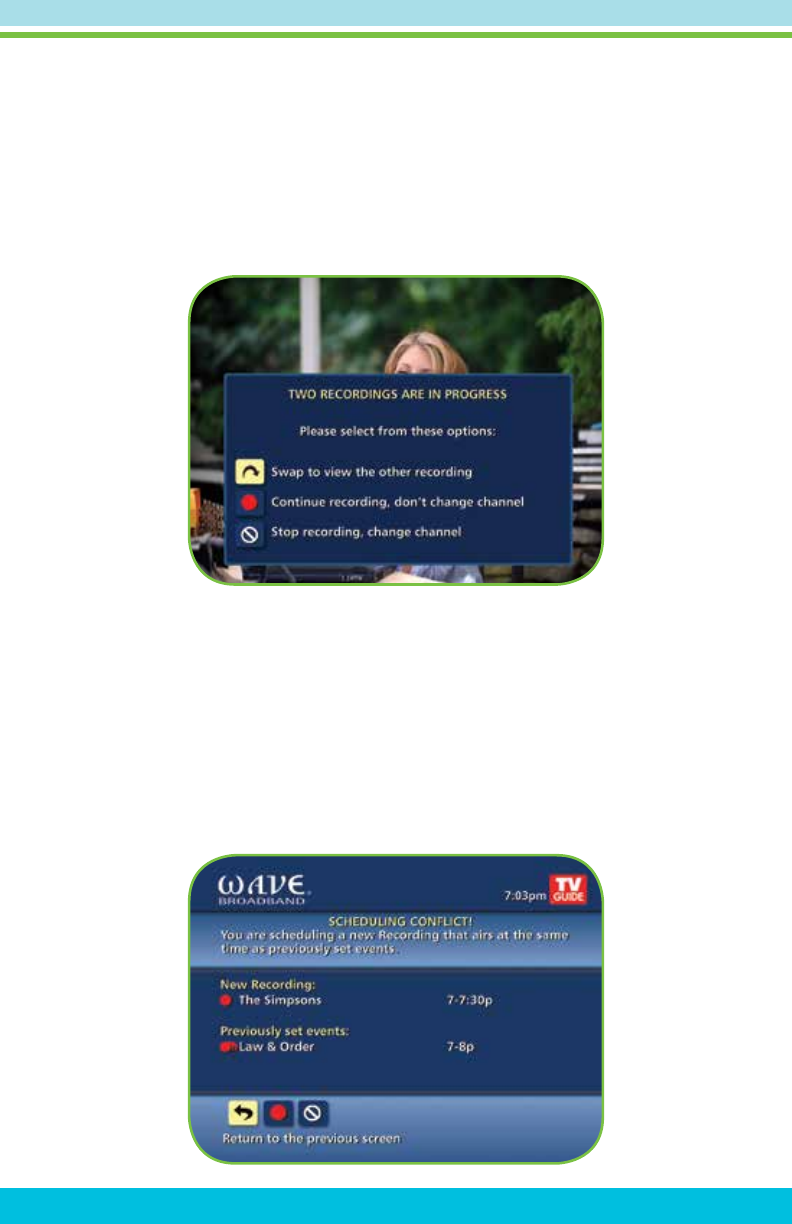
- Manage Schedule Conicts 9
- Search and Record 10
- Recording Series 11
- Modify Series 12
- Manage Series Priorities 13
- View Recorded Programs 14
- Future Recordings 15
- Manage Your Recordings 15
- DVR Clipping 16
- DVR Folders 16
- Modify Recording Options 17
- From Listings 18
- Recording Notices 19
- Press B or List 20
- Button to launch 20
- Multi-Room DVR 20
- My Recordings Screen 21
- Playback Details Screen 21
- Watch a Recording 22
- Resume Playback From: 22
- Main Menu 23
- Menu Options 23
- Set a Follow-me Bookmark 24
- Pause Live-TV 24
- Delete a Recording 25
- Schedule a Recording 25
- Cancel a Future Recording 26
- DVR Troubleshooting 31
- Troubleshooting (Continued) 32
© 2020, manymanuals.it. Tutti i diritti riservati | 0.037 s |
 Manymanuals.com
 Manymanuals.de
 Manymanuals.fr
 Manymanuals.it
 Manymanuals.pl
 Manymanuals.cz
 Manymanuals.es
 Manymanuals-pt.com
Commenti su questo manuale